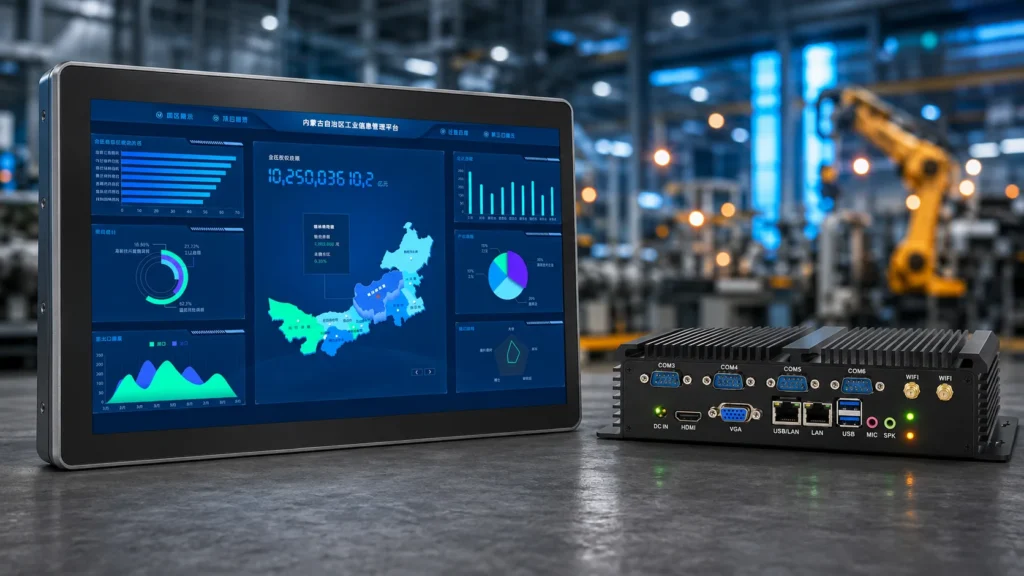
A panel PC integrates display, touchscreen, and computer into a single sealed enclosure — the go-to solution for space-constrained HMI deployments. An industrial PC (also called a box PC or embedded PC) is a standalone computing module that pairs with a separate display, offering greater processing power and modular flexibility. The right choice depends on your environment, performance requirements, and long-term maintenance strategy.
Quick Comparison: Panel PC vs Industrial PC at a Glance
- Panel PC: All-in-one unit, IP65–IP69K front seal, fanless design, ideal for machine-level HMI nodes
- Industrial PC (Box PC): Standalone compute module, pairs with external display, higher CPU/GPU headroom
- Key difference: Integration level — not processing platform (both use industrial-grade embedded hardware)
- Choose Panel PC when: Space is limited, IP protection is mandatory, installation simplicity matters
- Choose Industrial PC (Box PC) when: High-performance computing is needed, display is at risk of damage, one unit must drive multiple screens
- TCO consideration: Panel PCs lower installation cost; modular Box PC systems can lower long-term replacement cost in high-abuse environments
- Both are widely used in: Factory automation, SCADA/HMI, food & beverage, transportation, and edge computing
What Is a Panel PC?
An industrial panel PC is a rugged all-in-one computing device that combines a touchscreen display, embedded processor, memory, storage, and I/O ports into a single sealed enclosure. Unlike conventional desktop computers, panel PCs are engineered from the ground up for continuous 24/7 operation in harsh industrial environments — including exposure to dust, water, vibration, and extreme temperatures.
Core Architecture
The defining characteristic of a panel PC is system-level integration. A single unit houses:
- Industrial LCD display (typically 7″–32″, 700–1,500 nits brightness)
- Projected Capacitive (PCAP) or resistive touchscreen
- Embedded industrial-grade motherboard (Intel Atom / Celeron / Core i3/i5/i7)
- Fanless passive cooling via aluminum heat-sink chassis
- IP65–IP69K sealed front bezel
- Multiple industrial I/O: RS-232/422/485, USB 3.x, GbE LAN, digital I/O, optional CAN bus
This architecture makes panel PCs the default choice for distributed operator interface nodes — the human-facing terminal mounted directly on a machine, cabinet door, or production line station.
Panel PC Form Factors
| Form Factor | Описание | Typical Use |
|---|---|---|
| Panel Mount (Flush) | Cutout-mounted into enclosure door | Machine HMI, control panels |
| VESA Wall Mount | Standard 75×75 / 100×100 mm bracket | Operator stations, kiosks |
| Open Frame | Frameless board for OEM integration | Custom equipment, embedded systems |
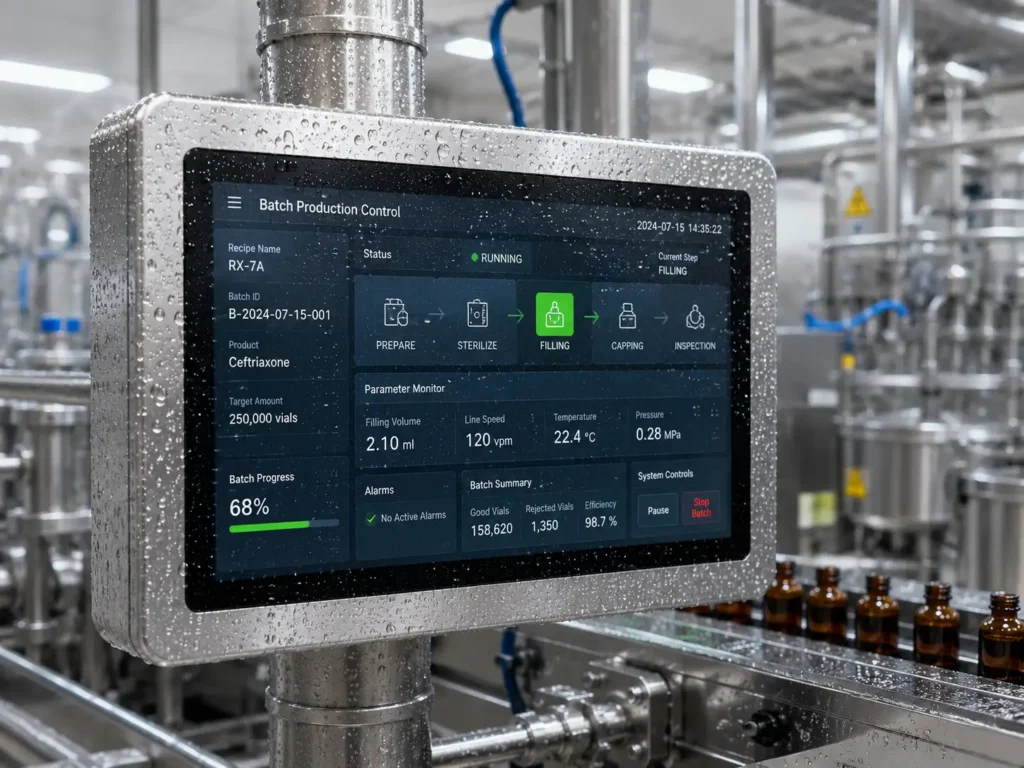
| Stainless Steel | Corrosion-resistant full enclosure | Food processing, pharma, washdown |
| Slim Bezel (24/7) | Ultra-thin aluminum housing | Digital signage, smart factory |
For a deep dive into specific application deployments, see our guide: Panel PC Applications in Factory Automation.
What Is an Industrial PC (Box PC / Embedded PC)?
An industrial PC — commonly referred to as a box PC system or embedded PC — is a compact, standalone computing unit designed for industrial deployment without an integrated display. It provides the processing and I/O functions of a full computer in a rugged, space-efficient chassis, and connects to one or more external industrial monitors or touchscreen displays via HDMI, DisplayPort, or DVI.
The term covers several hardware categories:
- Fanless Box PC: Passively cooled, sealed unit — the most common form in automation
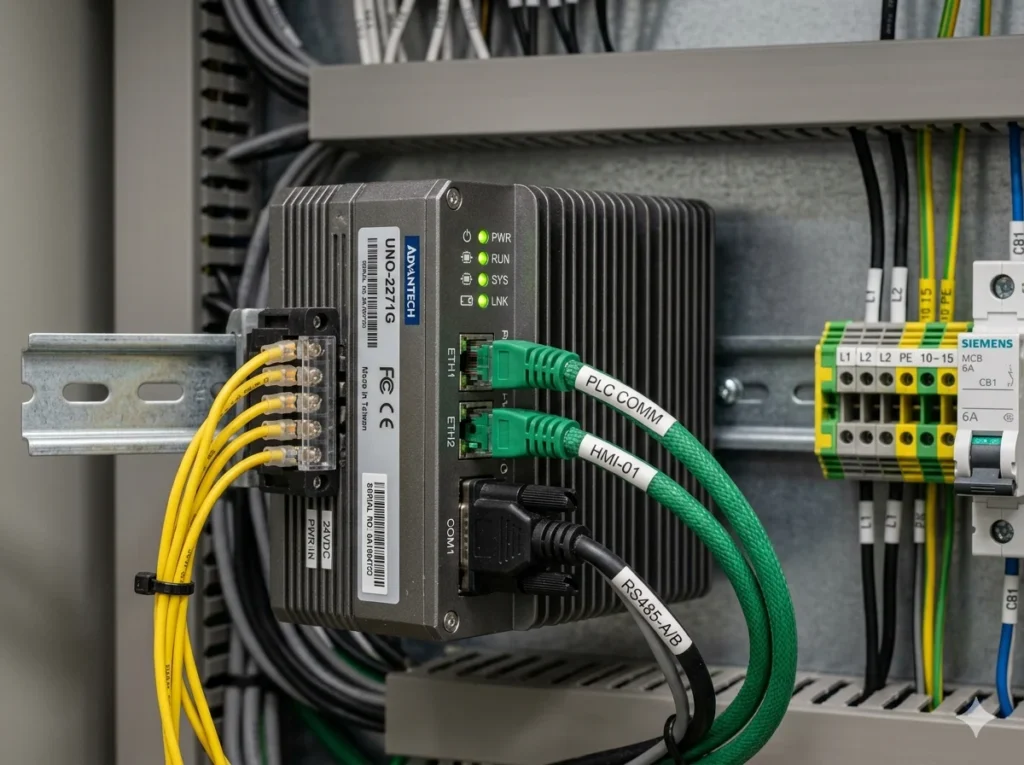
- DIN Rail Embedded PC: Slim profile for direct mounting on electrical control rail
- Mini-ITX IPC: Standard form factor for expansion-slot flexibility
- Rackmount IPC: 1U/2U server-chassis for control room environments
- COM Express / SMARC Modules: Board-level embedded computing for deep OEM integration
Why Engineers Choose Industrial Box PCs
The modular architecture of a box pc system unlocks several advantages unavailable in all-in-one Panel PCs:
- Unconstrained CPU performance: Desktop-class Intel Core i7/i9 or Xeon processors with quad-core and above, versus the mobile dual-core CPUs typical in Panel PCs
- GPU expansion: PCIe slots accommodate dedicated graphics cards or AI inference accelerators (NVIDIA Jetson, Intel Movidius)
- Independent component replacement: Failed display? Replace the monitor only. Need more compute? Swap the box — keep the screen
- One-to-many display topology: A single high-performance box PC can drive multiple industrial monitors across a control room or multi-station manufacturing line
- Protected installation: Computing hardware stays inside a sealed control cabinet; only the robust display is exposed to the shop floor
For a comparison of how embedded PC and Panel PC architectures fit within broader HMI system design, see our Industrial Panel PC Automation Guide.
Panel PC vs Industrial PC — Head-to-Head Comparison
Architecture & Integration
| Dimension | Panel PC | Industrial PC (Box PC) |
|---|---|---|
| System integration | All-in-one: display + compute + touch | Modular: compute and display are separate |
| Installation complexity | Low — single device, minimal cabling | Higher — video/USB/power cables required |
| Failure replacement unit | Whole unit (or front panel swap) | Independent: compute or display only |
| Deployment position | Machine-level HMI node | Control cabinet, centralized rack |
| Upgrade path | Limited (sealed unit) | Flexible — swap compute or display independently |
Environmental Protection
IP ratings are defined by IEC 60529, the international standard published by the International Electrotechnical Commission that classifies enclosure protection against solid particles and liquid ingress. Industrial panel PCs commonly carry IP65 (dust-tight, protected from water jets), IP66 (protected from powerful water jets), or IP69K (high-pressure, high-temperature steam washdown). The IP69K designation for washdown applications is defined under ISO 20653 and is the required rating for food processing and pharmaceutical environments.
| Protection Category | Panel PC | Box PC + Industrial Display |
|---|---|---|
| Front panel IP rating | IP65 to IP69K (built-in) | Depends on display selection |
| Internal sealing | Fully sealed, no vents | Cabinet-dependent; air gaps possible |
| Vibration resistance | MIL-STD-810G certified models | Cabinet-absorbed; chassis-mounted isolation |
| Operating temperature | -20°C to 60°C (wide-temp models) | Cabinet thermal management dependent |
| Washdown suitability | ✅ Yes (IP69K stainless models) | ⚠️ Cabinet required; display must be rated |
Processing Performance
| CPU Tier | Panel PC | Box PC / Embedded PC |
|---|---|---|
| Entry-level | Intel Celeron / Atom (2–4W TDP) | Intel Atom / N-series |
| Mid-range | Intel Core i3/i5 mobile (15W TDP) | Intel Core i5/i7 mobile or desktop |
| High-performance | Intel Core i7 mobile (28W TDP) | Intel Core i7/i9 desktop, Xeon (65W+) |
| GPU/AI acceleration | Limited (integrated GPU only) | PCIe GPU, NVIDIA Jetson, FPGA add-ons |
| Multi-core headroom | Typically dual-core | Quad-core and above available |
Display & Touch Technology
Panel PCs integrate industrial-grade displays engineered for:
- High brightness: 700–1,500 nits for factory floor legibility
- Optical bonding: Eliminates internal reflection, improves readability in bright ambient light
- Wide-temperature LCD: Stable performance from -20°C to 70°C
- Touch tech options: PCAP (multi-touch, glove-operable) or resistive (stylus, harsh liquid exposure)
Box PC systems connect to external industrial monitors — offering the advantage of independent display selection: choose exactly the screen size, brightness, and touch technology required without being locked to the compute platform’s built-in panel.
For an in-depth look at how screen size and OS affect real-world deployments, see: 10-inch Android vs 15-inch Industrial Panel PC Comparison.
Maintenance & Serviceability
This is where the choice between a panel pc vs industrial pc becomes most commercially significant for long-term deployments:
- Panel PC: One device = one point of replacement. Screen damage, CPU failure, or I/O port damage may require sending the entire unit for service. Advantageous in clean, controlled environments where damage risk is low.
- Box PC: Modular repair — a damaged touchscreen monitor costs a fraction of a full unit replacement. In environments with known screen abuse (metal foundry tools, public kiosks, automotive stamping lines), the box PC approach significantly reduces MTTR (Mean Time to Repair) and spare parts cost.
According to Teguar’s field data, automotive manufacturing and metal foundry environments are the most common use cases where operators choose two-piece Box PC + display solutions specifically because touchscreen replacement cost is dramatically lower than full Panel PC replacement.
Total Cost of Ownership (TCO) — 5-Year Framework
TCO is the metric that most often determines the final selection between a panel pc vs industrial pc in real procurement decisions. Here is the framework used by industrial system integrators:
Step 1: Calculate initial hardware cost
Panel PC (all-in-one): typically $800–$3,500 per unit depending on screen size and spec
Box PC + Display (two-piece): typically $700–$4,500 per set (split across compute + display)
Step 2: Add installation and integration labor
Panel PC: lower — single device, minimal cabling, faster commissioning
Box PC: higher — video signal routing, USB touch cables, potential enclosure modification
Step 3: Model annual maintenance cost
Fanless industrial PC (either form): minimal — no fan filters to replace, no moving parts
Fan-cooled industrial PC: add fan replacement and dust filter cleaning labor (approx. quarterly)
Step 4: Estimate downtime cost per failure event
Panel PC (whole-unit replacement): typical field swap time 2–4 hours + shipping if no on-site spare
Box PC (modular replacement): display swap 30 minutes; compute module swap 1–2 hours
Step 5: Account for upgrade and lifecycle extension
Panel PC: limited upgrade — compute platform is fixed at purchase
Box PC: compute upgrade possible without display replacement (extends lifecycle 3–5 additional years)
Indicative 5-Year TCO Estimate (20-Unit Deployment)
| Cost Category | Panel PC (20 units) | Box PC + Display (20 sets) |
|---|---|---|
| Hardware acquisition | ~$50,000 | ~$52,000 |
| Installation & integration | ~$3,000 | ~$9,000 |
| Maintenance (fanless) | ~$2,000 | ~$2,500 |
| Downtime losses (est.) | ~$12,000 | ~$6,000 |
| Energy (5 years) | ~$10,500 | ~$11,500 |
| Total 5-Year TCO | ~$77,500 | ~$81,000 |
Note: These figures are reference estimates. Actual TCO varies significantly by environment, failure rate, and labor cost. In high-abuse screen environments, Box PC TCO can be 20–30% lower due to modular display replacement.
A 2025 case study cited by Everglory Touch found that an automotive manufacturer replacing 200 traditional PC + display setups with 15″ fanless Panel PCs achieved a 45% reduction in downtime due to fewer cable failures — highlighting that integration simplicity directly impacts operational cost in the right environment.
Industry-Specific Use Cases: Which to Choose?
Factory Automation & SCADA (Recommend: Panel PC)
Panel PCs are the standard HMI terminal for PLC-connected machine interfaces, SCADA visualization, and production monitoring. The IP65 front seal handles coolant mist and dust; the fanless design runs silently 24/7 without maintenance interruption. See how panel PCs are deployed across factory automation scenarios →
Food & Beverage / Pharmaceutical (Recommend: Stainless Steel Panel PC, IP69K)
Washdown environments require IP69K protection against high-pressure, high-temperature cleaning. Stainless steel panel PCs with optical-bonded screens eliminate contamination traps and tolerate CIP (Clean-in-Place) chemical exposure. This segment is one of the strongest growth areas for rugged industrial computers: according to Technavio’s Industrial PC Market Analysis (2026), the global industrial PC market is projected to grow by USD 2.27 billion at a CAGR of 6.8% from 2025 to 2030, driven primarily by Industry 4.0 adoption and IIoT integration in manufacturing. The Panel IPC segment alone held approximately 28.6% of total market share in 2025, per IMARC Group’s Industrial PC Market Report.
Machine Vision & Edge AI (Recommend: Box PC System)
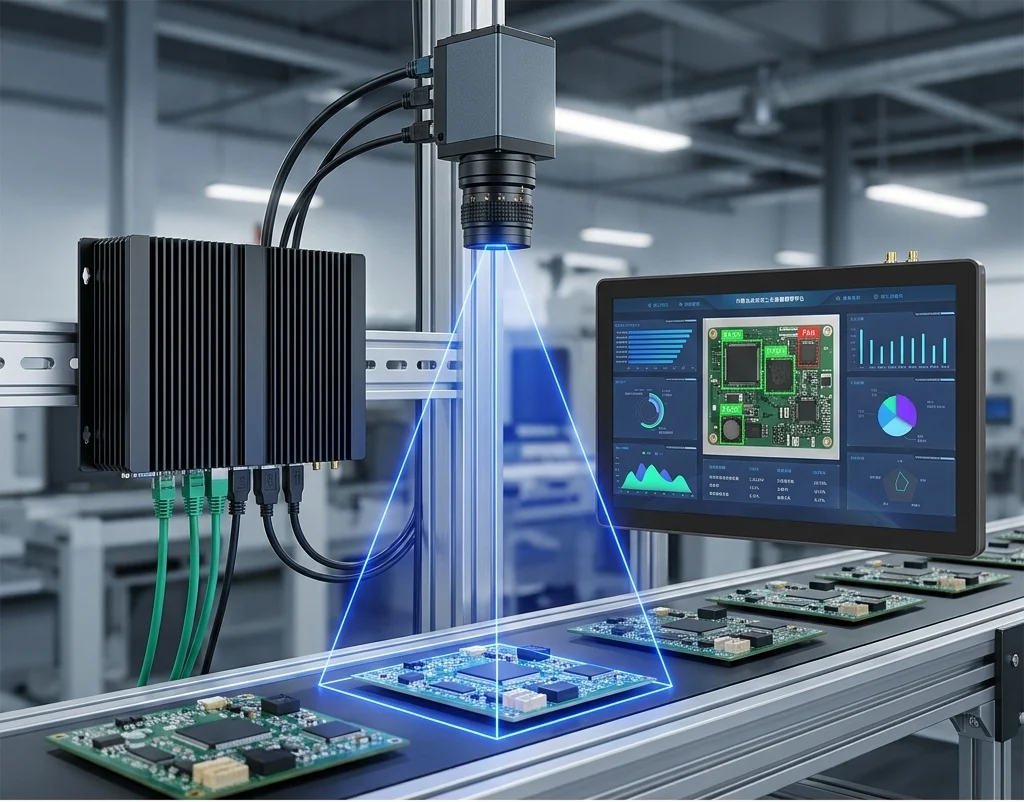
Real-time image processing for quality inspection, defect detection, and robotic guidance demands quad-core or higher CPUs plus dedicated GPU compute. A box pc system with PCIe expansion accommodates NVIDIA RTX or Jetson-class inference accelerators alongside industrial cameras and frame grabbers — configurations impossible in sealed panel PCs. For a look at emerging trends in Edge AI and IIoT integration, see our Industrial PC Trends 2026 overview.
Transportation & Vehicle-Mounted (Recommend: Panel PC, Wide-Temperature)
In-cab vehicle computers, forklift terminals, and railway onboard systems need compact form factors, MIL-STD-810G vibration and shock certification, and wide operating temperature ranges (-30°C to 70°C for some models). MIL-STD-810, published by the U.S. Department of Defense, defines 28 environmental test methods covering vibration, shock, temperature extremes, humidity, and dust — making it the globally recognized benchmark for rugged industrial computer qualification beyond military use. Panel PCs with integrated 4G/LTE, GPS, and CAN bus satisfy transportation requirements in a single mountable unit.
Control Rooms & Multi-Screen Stations (Recommend: Box PC)
A single high-performance box PC driving three to six industrial displays is the standard architecture for process control rooms in oil & gas, utilities, and chemical plants. This topology is impractical with Panel PCs, which are inherently single-display devices.
Outdoor & Harsh Chemical Environments (Recommend: Sunlight-Readable Panel PC)
Outdoor deployments require display brightness above 1,000 nits with optical bonding to maintain visibility in direct sunlight. IP69K aluminum or stainless enclosures resist UV exposure and chemical spray. Box PCs in these environments require additional enclosure engineering; Panel PCs offer a pre-validated integrated solution.
Panel PC vs HMI: A Related Comparison
Engineers frequently ask whether a dedicated HMI device (programmable operator panel from Siemens, Rockwell, or Mitsubishi) is preferable to a Panel PC running SCADA software. The short answer: Panel PCs offer substantially greater flexibility, local data storage, and software compatibility — especially as modern industrial sites migrate from proprietary HMI ecosystems to open PC-based platforms.
For a full breakdown of this decision, see: Panel PC vs HMI: Which Is Right for Your System?
Key Selection Criteria: Step-by-Step Decision Framework
Use this five-step framework when evaluating panel pc vs industrial pc for a new project:
Step 1 — Define environmental exposure requirements
- Direct dust/water/chemical exposure at operator interface → Panel PC (IP65–IP69K)
- Compute unit inside a sealed cabinet; only display exposed → Box PC with rated display
Step 2 — Assess performance and expansion requirements
- Light-duty HMI, SCADA visualization, data display → Mobile i3/i5 Panel PC is sufficient
- Machine vision, Edge AI inference, GPU processing, multi-camera → Box PC with PCIe expansion
Step 3 — Evaluate maintenance strategy and failure scenarios
- Cleanroom, pharma, food — low physical abuse, high cleanliness priority → Panel PC
- Metal foundry, automotive body shop, public kiosk — high screen abuse risk → Box PC (lower display replacement cost)
Step 4 — Confirm form factor and installation constraints
- Flush panel mount into machine door or cabinet face → Panel PC (open frame or panel mount)
- DIN rail inside control cabinet → Embedded Box PC / DIN Rail IPC
- Control room rack → Rackmount IPC + industrial displays
Step 5 — Calculate 5-year TCO using the framework above Compare total cost including hardware, integration labor, downtime, and lifecycle extension potential.
Summary Decision Table
| Decision Factor | → Choose Panel PC | → Choose Industrial PC (Box PC) |
|---|---|---|
| IP protection at HMI | IP65+ required | Cabinet provides protection |
| CPU/GPU performance | Dual-core mobile sufficient | Quad-core+ / GPU required |
| Display configuration | Single integrated screen | Multiple displays or independent selection |
| Screen damage risk | Low (controlled environment) | High (tooling, impact, public use) |
| Installation speed | Fast (single device) | Complex (cabling, mounting, integration) |
| Lifecycle flexibility | Fixed at purchase | Compute/display upgrade independently |
| Budget priority | Lower upfront cost | Lower long-term TCO in modular-repair scenarios |
Industry 4.0, IIoT, and Edge AI: How Both Platforms Are Evolving
The global industrial PC market was valued at USD 5.6 billion in 2025 and is projected to reach USD 8.0 billion by 2034, according to IMARC Group’s Industrial PC Market Report (2026). Separately, Technavio forecasts a 6.8% CAGR through 2030, with the Asia-Pacific region accounting for over 40% of incremental growth, driven by smart factory investment in China, Japan, South Korea, and India. Within this growth, both Panel PCs and industrial box PC systems are evolving to meet Industry 4.0 demands.
According to a PatentPC factory automation analysis (2026), over 60% of automated factories are expected to deploy IIoT connectivity in some form by 2026 — placing new demands on the computing hardware that serves as the edge node between physical machines and digital data systems.
Panel PCs in Industry 4.0:
- Increasingly ship with integrated 5G/WiFi 6E modules for wireless HMI connectivity
- NPU/VPU AI inference chips embedded in newer models enable on-device quality inspection without a separate box PC
- OPC-UA, MQTT, and EtherCAT protocol support makes Panel PCs native IIoT endpoints
Box PC Systems in Industry 4.0:
- PCIe expansion enables GPU-accelerated AI inference (NVIDIA RTX, Jetson Orin)
- Time-Sensitive Networking (TSN) support for deterministic, low-latency control loops
- Modular compute platforms allow hardware refresh for next-generation AI workloads without display infrastructure replacement
Our Industrial PC Trends 2026 article covers these developments in detail, including Edge AI integration patterns and connectivity roadmap.
OEM & Manufacturer Perspective: Customization and Lifecycle Management
This is where YLWWPC’s position as a panel PC manufacturer enables a layer of insight beyond what most buyer-focused articles provide.
Custom Panel PC Design for OEM Equipment
System integrators and OEM equipment manufacturers frequently require configurations unavailable off-the-shelf:
- Custom screen sizes outside standard ranges (e.g., 10.1″, 15.6″, 21.5″)
- Specific I/O port layout — COM port count, USB positioning, LAN redundancy
- Proprietary front panel branding, color, and label silk-screening
- Open Frame construction for embedding within OEM equipment enclosures
- PCAP touch tuning for glove operation in thick protective workwear environments
YLWWPC’s OEM/ODM service supports these configurations with typical MOQ flexibility for industrial project volumes.
Industrial PC Lifecycle Support: Why It Matters
A rugged industrial computer is not a 3-year consumer purchase — it is a capital infrastructure commitment. Industrial customers expect:
- 7–10 year component supply continuity — Intel’s embedded processor roadmap formally guarantees up to 10-year product availability for Core processors in industrial/edge deployments, per Intel’s IoT and Embedded Processors page, covering platforms from Core Series 3 through Core Ultra Series 2
- Long-term OS support — Windows 10 IoT Enterprise LTSC (2029 end-of-support) and Windows 11 IoT Enterprise LTSC 2024 are the standard OS choices for industrial Panel PCs requiring decade-long software stability
- MTBF documentation (typically 50,000–100,000 hours for fanless industrial designs)
- Locked BOM (Bill of Materials) — leading manufacturers offer hardware revision control to prevent unannounced component changes that could affect product certification
These lifecycle considerations apply equally to Panel PCs and Box PC systems — but they’re particularly critical when selecting a fanless industrial pc platform, because the absence of moving parts is only as valuable as the long-term availability of the sealed, passively-cooled platform.
Certifications to Verify Before Purchase
IP ratings follow the IEC 60529 standard (IEC official); MIL-STD-810 test methods are documented on the MIL-STD-810 Wikipedia entry and the official DoD Acquisition portal.
| Certification | Scope | Applies To |
|---|---|---|
| CE | European market compliance (EMC + LVD) | Both |
| FCC Part 15 | US EMI/RF compliance | Both |
| UL / cUL | North American safety (UL 508A for industrial panels) | Both |
| IP65 / IP66 / IP69K | Ingress protection per IEC 60529 | Panel PC front bezel / Box PC enclosure |
| MIL-STD-810G/H | Vibration, shock, temperature per U.S. DoD standard | Transportation / military-grade |
| IEC 60068 | Environmental testing (industrial) | Both |
| RoHS / REACH | Hazardous substances compliance (EU directive) | Both |
| ATEX / IECEx | Explosive atmosphere zones (select models) | Specialized deployments |
Application Gallery: Real-World Deployment Patterns
To ground the embedded system comparison in practical terms, here are deployment patterns drawn from real industrial segments:
Automotive Assembly Lines (Siemens SIMATIC deployments): Panel PCs mounted flush to assembly jigs provide operators with real-time torque data, quality check prompts, and error-proofing alerts. IP65 protection handles coolant and metallic particle contamination.
Pharmaceutical Batch Control: Stainless steel IP69K panel PCs from manufacturers including Beckhoff and Kontron serve as recipe management terminals in Class C/D cleanrooms, with optical bonding preventing condensation under temperature cycling.
Port Logistics Control Rooms (Rockwell Automation): Allen-Bradley VersaView rackmount IPCs connected to industrial displays manage crane operations and container tracking across multi-screen operator workstations — a canonical Box PC architecture.
Smart Factory Edge AI (Advantech): Advantech’s EPC-B8333 series embedded PC with NVIDIA GPU handles real-time visual inspection on SMT (Surface Mount Technology) lines, demonstrating how the embedded pc form factor outpaces Panel PCs when inference workloads are intensive.
See our full Application Overview for vertical-specific deployment examples.
FAQ — Panel PC vs Industrial PC
Q1: What is the main difference between a panel PC and an industrial PC?
A panel PC integrates display, touchscreen, and computer into one sealed, mountable unit. An industrial PC (box PC) is a standalone compute module requiring a separate display and cabling. The key distinction is integration level, not underlying computing capability — both platforms use industrial-grade embedded hardware.
Q2: Is a panel PC the same as an embedded PC?
Not exactly. An embedded PC is a broad category covering any compact industrial computing module without an integrated display. A panel PC is a specific form factor that combines embedded computing with a touchscreen display in a single enclosure. All panel PCs contain embedded computing, but not all embedded PCs are panel PCs.
Q3: Which is better for harsh environments — panel PC or box PC?
Panel PCs with IP65–IP69K ratings provide direct, validated protection at the operator interface. Box PCs inside sealed control cabinets can achieve equivalent protection for the compute module, but require careful enclosure design. For environments where the display itself must withstand washdowns or chemical exposure, a panel PC with the appropriate IP rating is typically the simpler and more reliable choice.
Q4: Can a fanless industrial PC replace a panel PC?
A fanless box PC can replace a panel PC’s computing function, but you will still need a separate industrial display and touchscreen, which increases installation complexity and cabling. For tight spaces or single-operator HMI stations, a fanless panel PC (which is itself a fanless industrial PC with integrated display) remains the more practical solution.
Q5: What is the typical lifespan of a panel PC vs an industrial PC?
Both are designed for 7–10 years of continuous operation with industrial-grade components. Consumer PCs typically last 2–3 years under similar workloads. The fanless design in both form factors is the primary driver of extended lifespan, eliminating the most common mechanical failure point.
Q6: How do I choose between panel PC and box PC for an Industry 4.0 deployment?
For distributed HMI operator stations directly on machines, panel PCs are preferred — lower integration complexity, IP-rated, and sufficient compute for SCADA/HMI tasks. For edge AI inference, machine vision, centralized data processing, or multi-screen control rooms, box PC systems offer the performance scalability and modular upgrade paths that Industry 4.0 workloads demand.
Q7: What certifications should a rugged industrial computer have?
At minimum: CE and FCC (market compliance), IP65+ (ingress protection), and RoHS (materials compliance). For transportation or outdoor applications, add MIL-STD-810G. For food/pharma, require IP69K. For explosive atmospheres, require ATEX/IECEx. Always request MTBF documentation and confirm the manufacturer’s component supply lifecycle commitment.
Q8: Where can I find panel PCs for OEM integration?
YLWWPC offers both standard and custom-configured industrial panel PCs in 7″–32″ sizes, including open frame versions for OEM embedding, stainless steel IP69K models for washdown environments, and wide-temperature fanless designs. Visit our application page или contact us about OEM/ODM services.